

IRCTC Aadhaar Link
To enhance security and prevent misuse of the Tatkal quota, Indian Railways has now made it mandatory to link Aadhaar to IRCTC account for booking Tatkal tickets.
For frequent travellers, IRCTC Aadhaar verification brings added benefits. Aadhaar-linked users can now book up to 24 train tickets per month, making travel planning more convenient and seamless.
Here’s What You’ll Need for IRCTC Aadhaar Linking
Before initiating the process of Aadhar link to IRCTC account, please ensure you have the following details ready:
-
Your IRCTC login details (user ID and password)
-
Your Aadhaar card
-
Mobile number registered with Aadhaar (for OTP verification)

Watch This Video to Learn How to Link Aadhaar in IRCTC Account
How to Link Aadhar to IRCTC Account
Follow the steps below to link Aadhaar to IRCTC for a hassle-free booking experience and to avail several benefits:
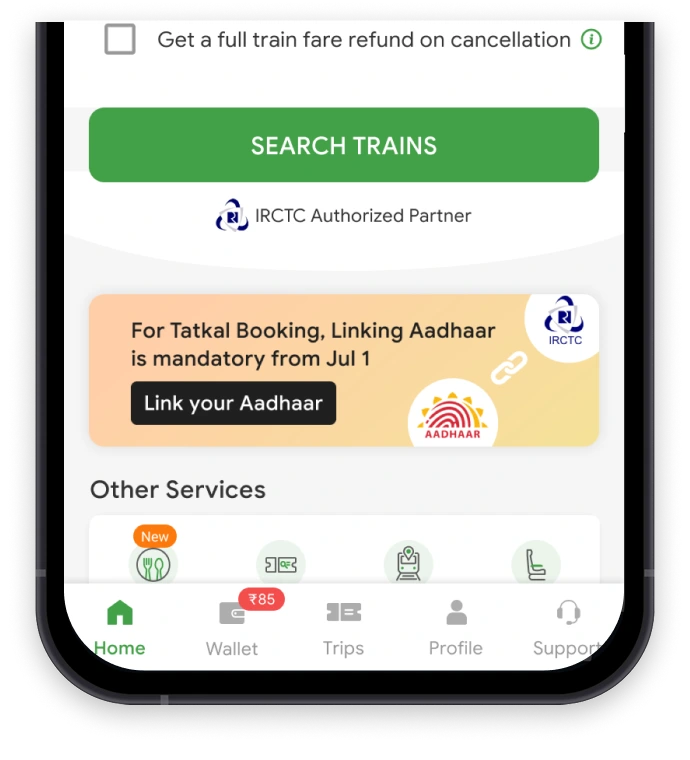
Step 1: Open the ConfirmTkt app and tap 'Link Your Aadhaar' on the homepage.
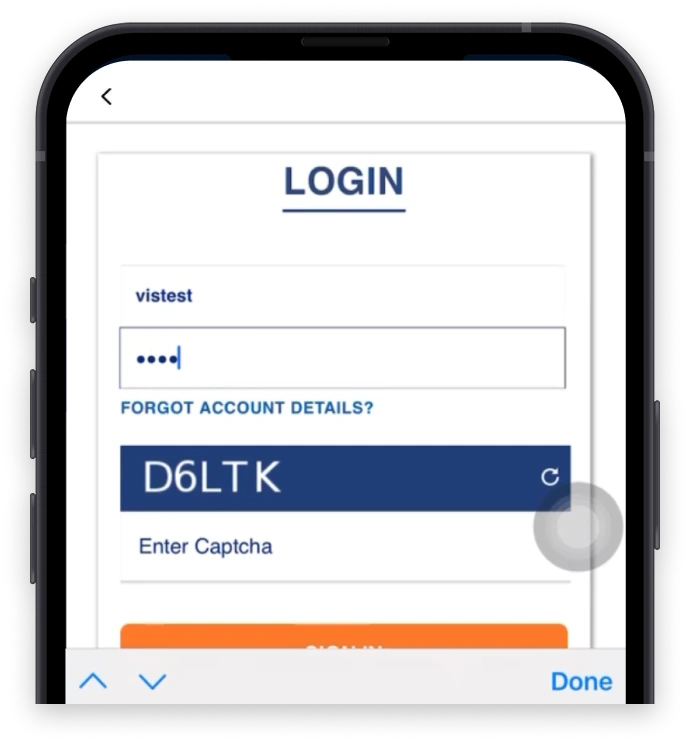
Step 2: The IRCTC login screen will open. Enter your credentials, then tap 'Sign In'.
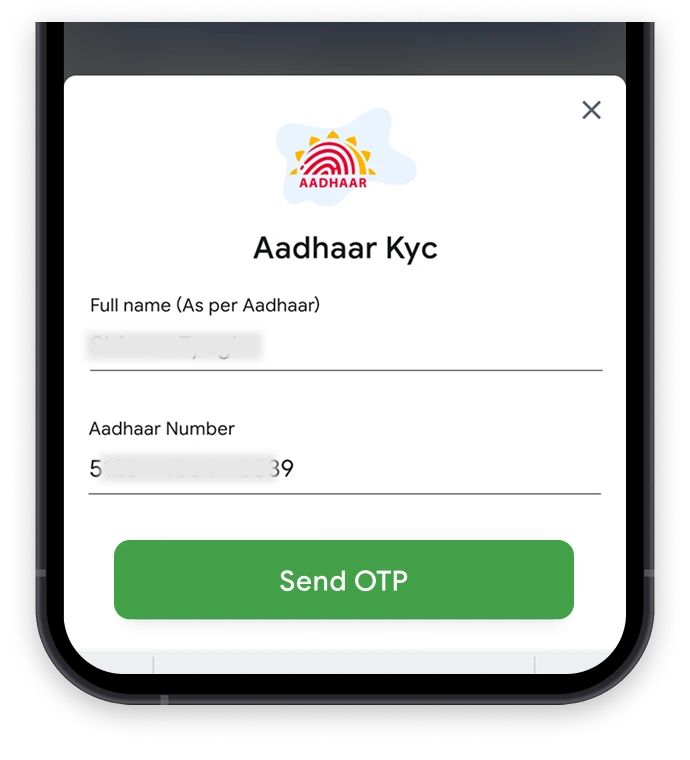
Step 3: The Aadhaar KYC page will appear. Enter your Aadhaar number and tap 'Send OTP'.
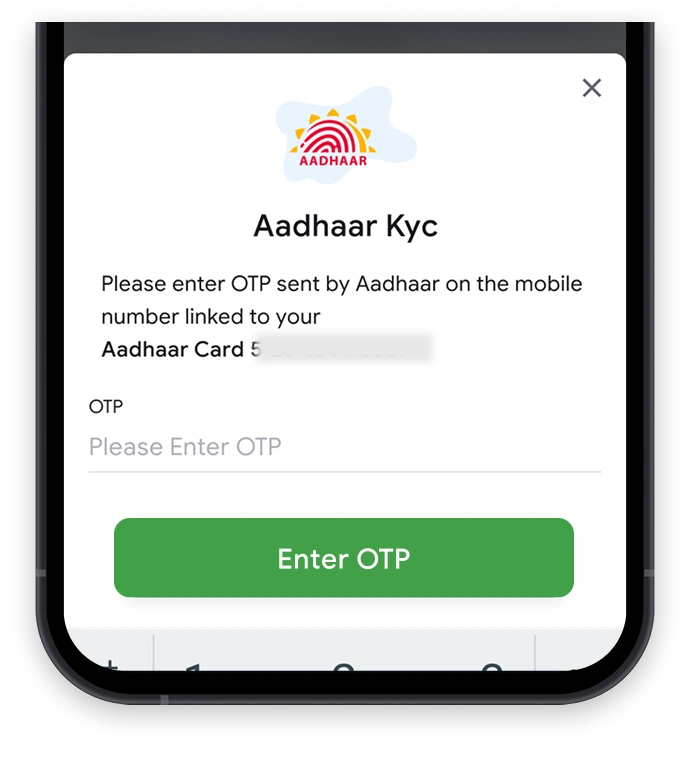
Step 4: Enter the OTP sent to your Aadhaar-linked mobile number, then tap 'Enter OTP'.
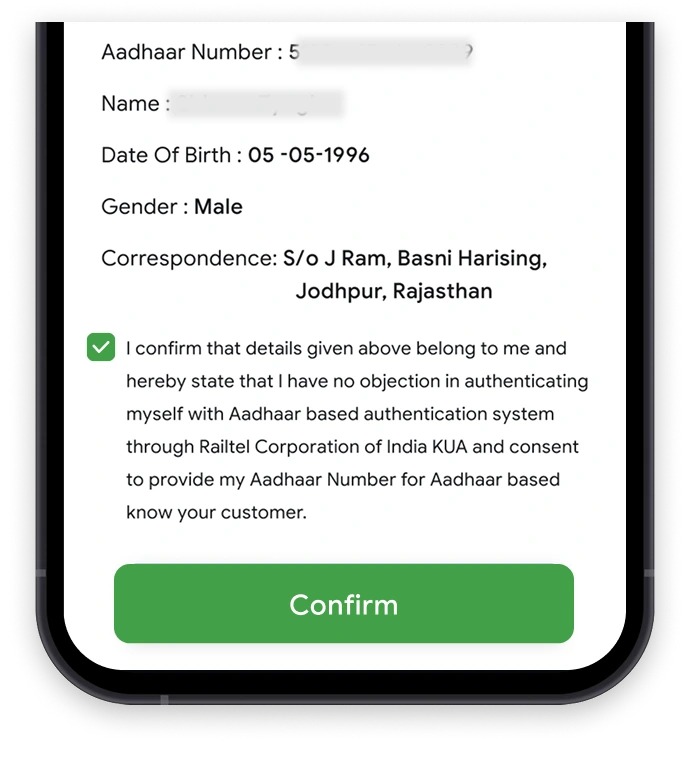
Step 5: Once the OTP is verified, tap 'Confirm' to continue.
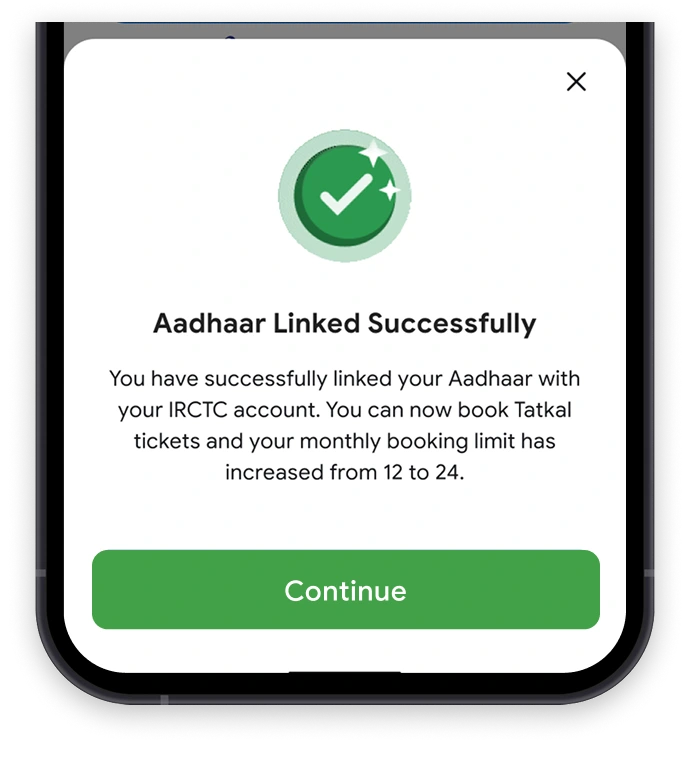
Step 6: A confirmation message will appear once your IRCTC Aadhar link is successful.
How to Add Aadhaar-Authenticated Passengers to IRCTC Account?
To add an Aadhaar-authenticated passenger to your IRCTC account, just follow these simple steps:
Step 1:
Go to the official IRCTC website: www.irctc.co.in
Step 2:
Log in with your IRCTC user ID and password.
Step 3:
Navigate to 'My Profile' and click on 'Add/Modify Master List'.
Step 4:
Enter the passenger's details such as name, date of birth, Aadhaar number, gender, and berth preference.
Step 5:
Click on 'Submit' to complete the process.
The new passenger will appear in your Master List with a 'Pending' status after the submission. Once the verification process is complete, the status will automatically update to 'Verified'. No OTP is required for this step.
You can also Aadhaar-verify passengers already listed in your Master List by clicking the 'Edit' button next to their details.
How to Select Aadhaar-Authenticated Passengers During Ticket Booking?
Follow the steps below to use Aadhaar-authenticated passenger details already saved in your Master List for ticket booking:
Step 1:
Enter your trip details and search for available train options.
Step 2:
Select your preferred class & train, then click on ‘Book Now’.
Step 3:
Choose 'Select Passengers from the Master List'.
Step 4:
From the list, select the Aadhaar-authenticated passenger by clicking 'Select Passengers'.
Step 5:
You can proceed to payment and confirm your ticket once their details are auto-filled in the booking form.
Purpose of Implementing These Updates
-
To stop misuse of Tatkal tickets by verifying passenger identities
-
To ensure fair ticket availability for genuine travellers
-
To improve transparency in the Tatkal booking process
-
To speed up verification during ticket booking and travel
Benefits of Aadhaar Linking with IRCTC Account
From smoother train bookings to higher ticket limits, here are the top benefits of IRCTC Aadhaar linking:
-
Smooth Ticket Booking
After completing IRCTC Aadhaar verification, your details are securely saved, so you won’t need to re-enter passenger information each time you book. This makes the ticket booking process smooth and stress-free.
-
Book Up to 24 Tickets Per Month
To increase your monthly booking limit from 12 to 24 tickets, link Aadhar with IRCTC. Once the process of Aadhaar card link to IRCTC account is complete, managing travel for big families or frequent trips becomes easier.
-
Hassle-Free Tatkal Train Bookings
Aadhar link with IRCTC is now mandatory for Tatkal bookings. Doing so ensures a smoother booking process and improves your chances of getting a confirmed seat.
-
Skip Repeated Verifications
With your IRCTC Aadhaar verification status marked as complete, future bookings become smoother as repeated ID checks are no longer required.
-
Travel Made Simple
Once your Aadhaar is verified, travel becomes simple! You can seamlessly book up to 24 tickets a month, and Tatkal bookings become hassle-free.
Frequently Asked Questions (FAQs)
Is an Aadhaar card required for Tatkal ticket booking?
What are the major benefits to link Aadhar with IRCTC accounts?
Is it possible to add new passengers to my IRCTC account and link their Aadhaar for train bookings?
After the Aadhar link IRCTC, how many passengers can be added?
Is Aadhaar linking required each time I book an e-ticket on IRCTC?
Explore more with Confirmtkt


Top Train Routes

Trains to Bengaluru
Trains to New Delhi
Trains to Goa
Trains to Hyderabad
Trains to Mumbai
Trains to Mysore
Trains to Chennai
Trains to Pune
Trains to Coimbatore